


Modern Warfare 4 ships with a long settings menu, and the defaults are built for comfort rather than competitive play. Changing a handful of them makes the game feel noticeably faster: an instant sensitivity transition when you aim, tighter stick deadzones, a wider field of view, no motion blur and an audio mix that brings footsteps forward. Some options also changed from earlier games: there is no aim assist type to choose anymore, the sensitivity scale is new, and the PS5 needs a VRR display for 120Hz. Below are the settings we recommend for controller, PC graphics, consoles, field of view and audio, with the reason behind each one.
Controller settings live under Settings, Controller, split into four tabs: Controller, Aiming, Movement and Combat. These values are a strong starting point; sensitivity is the one to adjust to your own taste.
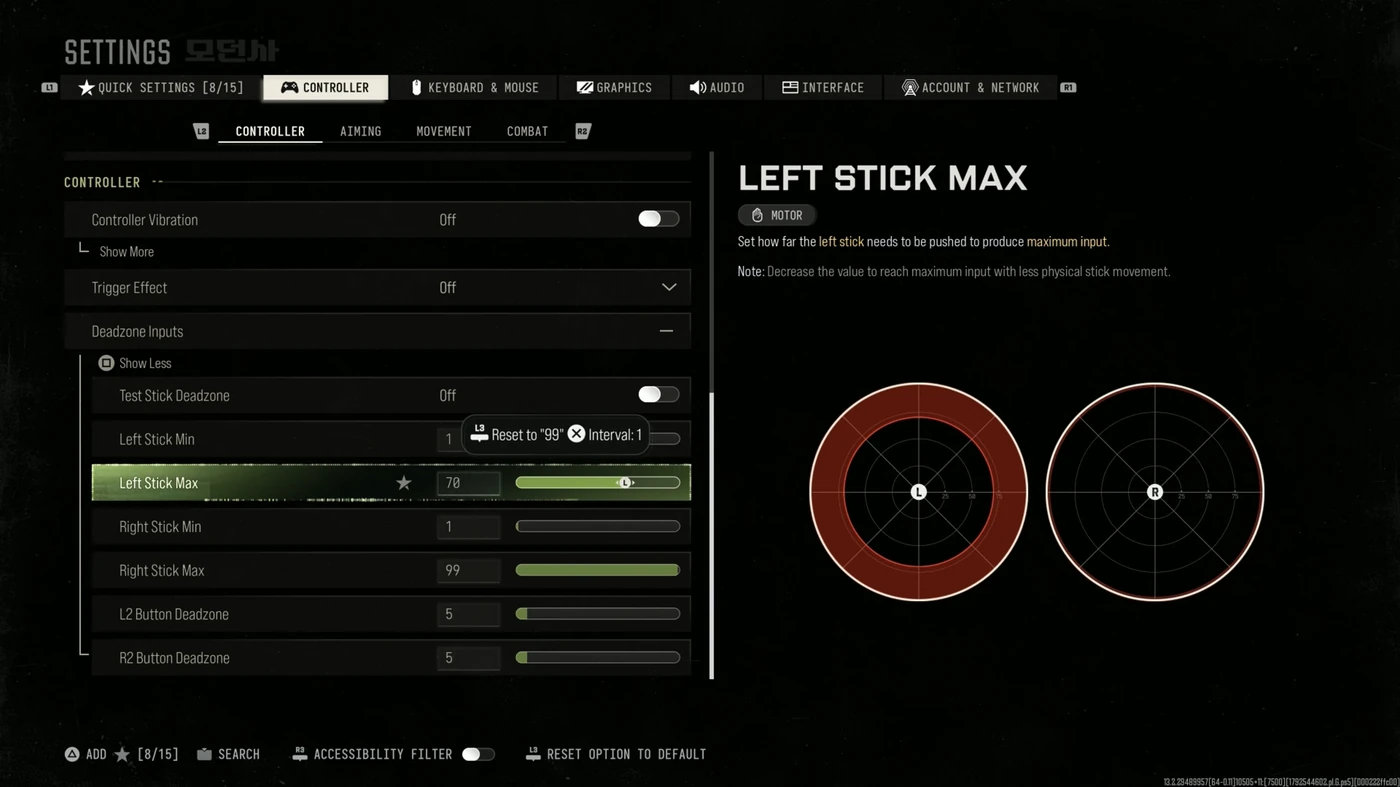
The deadzone settings decide how far you push a stick before the game reacts. Lower minimums make aiming more responsive, but too low and a worn stick drifts on its own. Turn on Test Stick Deadzone, see the drift value on screen, and set the minimum one point above it. If you need more than 5, the controller needs recalibrating or replacing.
| Setting | Recommended |
|---|---|
| Button layout | Tactical, or Default if you have back paddles |
| Sensitivity (horizontal and vertical) | 1.65, adjust between 1.35 and 1.8 |
| Controller vibration | Off |
| Trigger effect (PS5) | Off |
| Left stick min | 1 to 3 |
| Left stick max | 70 |
| Right stick min | 1 to 3 |
| Right stick max | 99 |
| L2/R2 deadzone | 5 |
The left stick max of 70 means you reach full movement speed with 70% of the stick's travel, which makes strafing snappier. Keep the right stick max at 99 for full aiming precision. Skip the Simplified Controls and Low Motor Strain presets: they override the settings you change by hand.
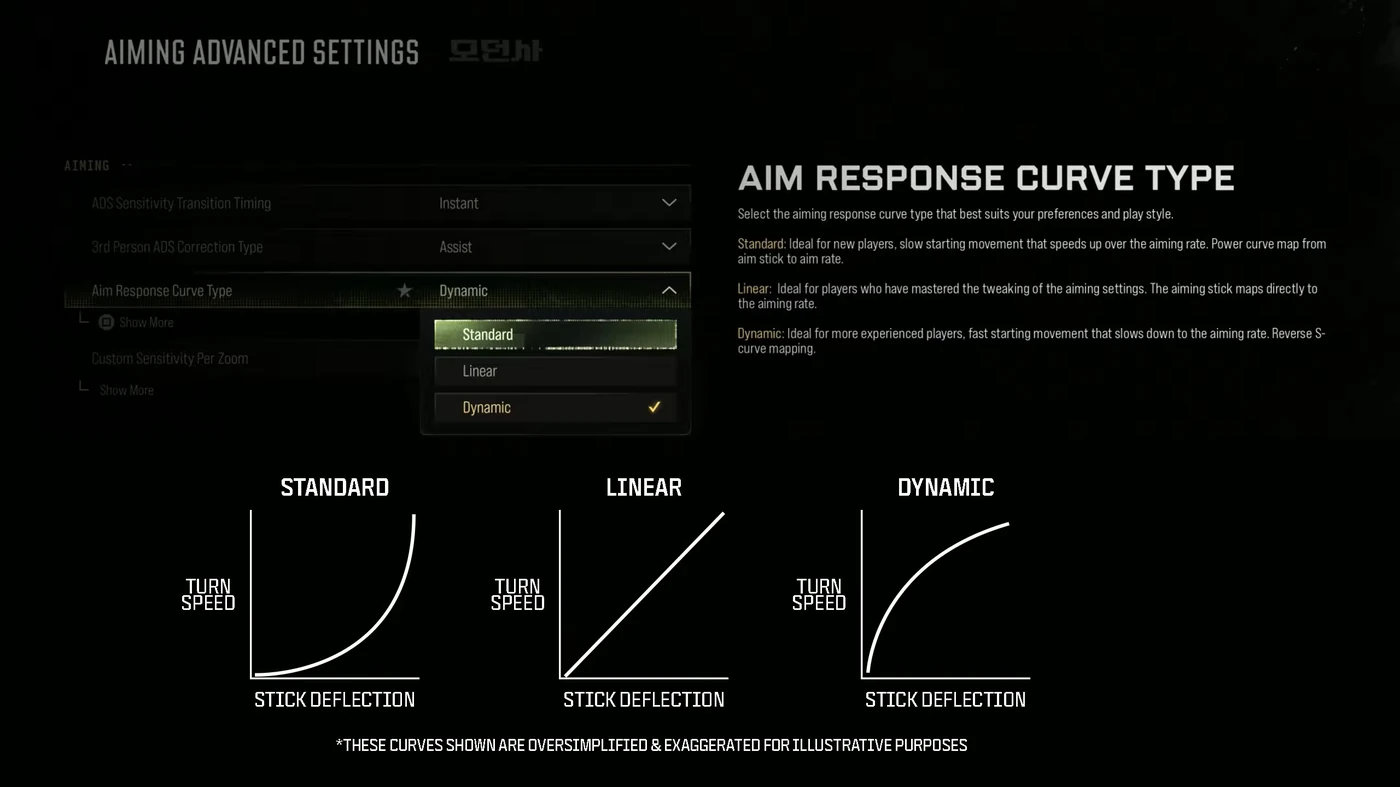
The aiming settings matter more than any other group. Set the ADS sensitivity transition to Instant: the default ties it to each gun's aim-down-sight speed, which makes slower guns feel sluggish.
| Setting | Recommended |
|---|---|
| ADS sensitivity transition timing | Instant |
| Aim response curve | Dynamic |
| Curve slope scale | 0.8 to 1.0 |
| Custom sensitivity per zoom | On, around 0.75 for low zoom, 1.0 or higher from 6x |
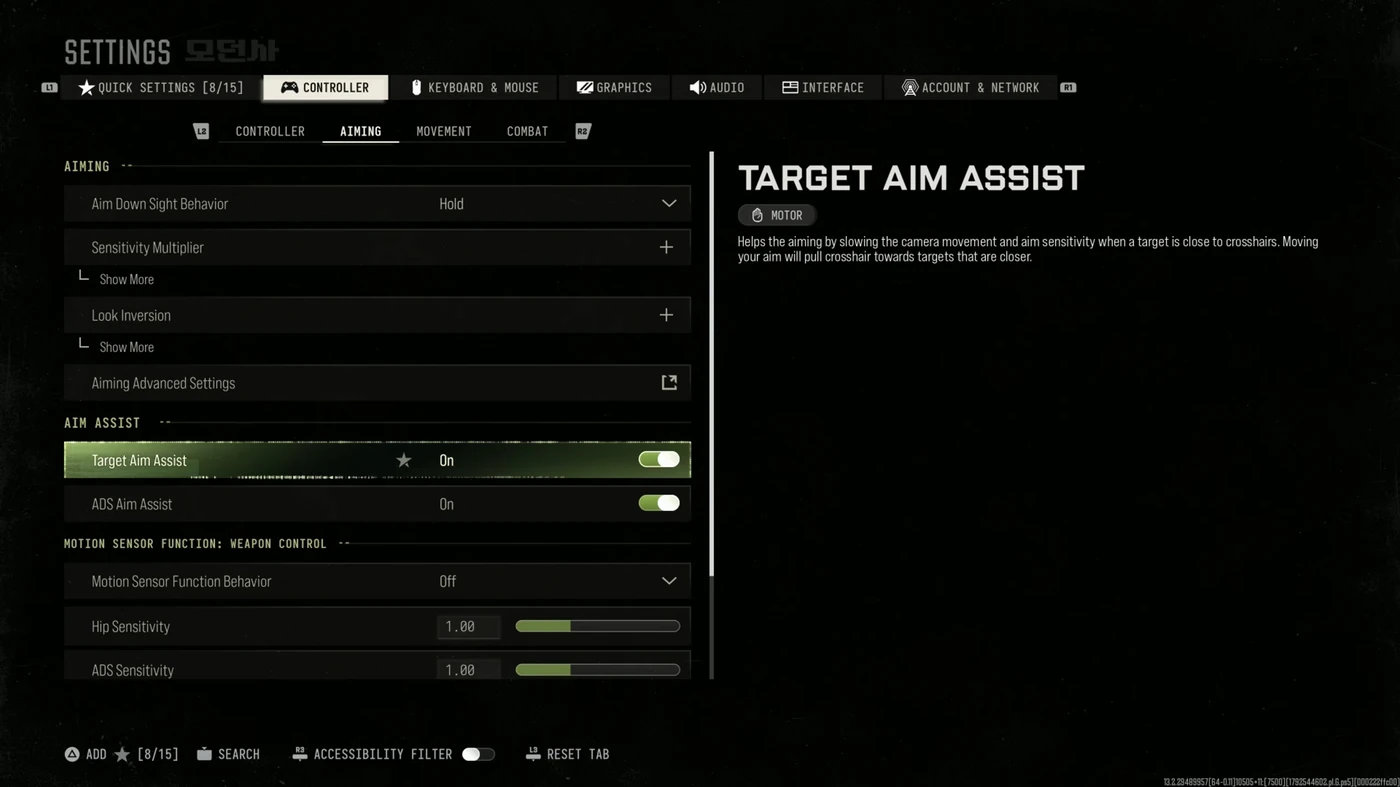
| Target aim assist | On |
Dynamic gives a fast start that slows down to your aiming rate, which suits most players. A slope scale below 1.0 brings it closer to Linear for more precision on small movements.
No. Unlike recent Call of Duty games, MW4 has no aim assist type to pick, such as Precision or Focusing. The Aiming tab has only Target Aim Assist, which should stay on, and ADS Aim Assist, which works in the campaign only.
These settings keep your gun up and your actions predictable:
| Setting | Recommended |
|---|---|
| Tactical sprint activation | Single tap run |
| Sprint assist | Off |
| Slide/dive behavior | Slide only or Hybrid, not Tap to Slide |
| Slide maintains sprint | On |
| Mantle assist | Off |
| Corner slice | Off |
| ADS behavior | Hold |
| Armor plate behavior | Apply all |
| Interact/reload | Prioritize reload, or prioritize interact for DMZ |
| Depleted ammo weapon switch | On |
Sprint assist and the tap-to-slide and tap-to-dive options add a short delay before the game reacts, and sprint assist also slows your aim after a sprint. Tactical sprint only works with the Blood Rush perk in multiplayer.
MW4 runs well on mid-range hardware: the recommended RTX 3060 Ti averages around 90 fps at 1440p with DLSS Quality. In benchmarks, the Balanced preset gives the best mix of frames and image quality, while Minimum costs a lot of visual quality for little gain. For competitive play, start from Custom and use the values below.
| Setting | Recommended |
|---|---|
| Display mode | Fullscreen Exclusive (Borderless if you use several monitors) |
| NVIDIA Reflex | On, or On + Boost if your GPU is the limit |
| V-Sync | Off |
| Frame generation | Off for multiplayer (adds input lag) |
| Ray tracing | Off |
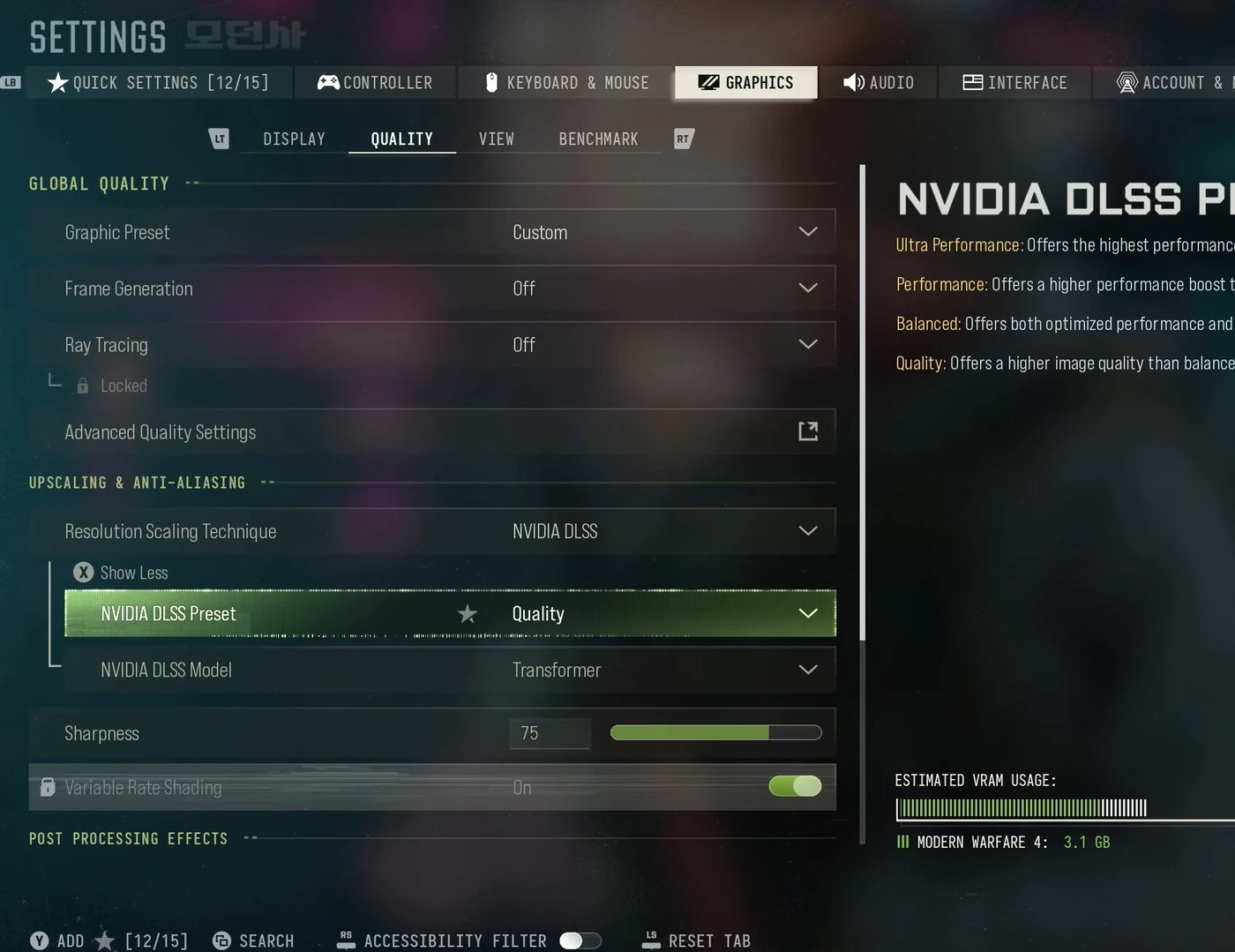
| Upscaling | NVIDIA DLSS Quality, or Performance on weaker GPUs |
| DLSS model | Transformer for clarity, CNN for a few more frames |
| Sharpness | 50 to 80 |
| VRAM scale target | 70 to 80 |
| Texture resolution | Normal |
| Particle resolution | Very Low |
| Shadow quality | Very Low |
| Screen space shadows, occlusion and reflections | Off |
| Motion blur, depth of field and film grain | Off |
| On-demand texture streaming | Optimized |
Particle resolution is the most important line on the list. MW4 is very heavy on particle effects, and lowering them clears up smoke and explosions as well as saving frames. If trees look blocky, raise Detail Quality to High.
On consoles, the biggest gain is 120Hz. On PS5, MW4 needs a display with VRR for its 120Hz performance mode: set VRR and 120Hz Output to Automatic in the PS5 system settings, then pick the performance preset in game. Some players report 120Hz in multiplayer without VRR, with only DMZ held at 60, but Activision hasn't confirmed this.
A wider field of view shows more of the screen's edges, which helps you spot enemies, at the cost of smaller targets and a few frames on PC. The horizontal field of view is capped at 135.
| Setting | Recommended |
|---|---|
| Field of view | 105 to 120 (100 to 110 on a TV) |
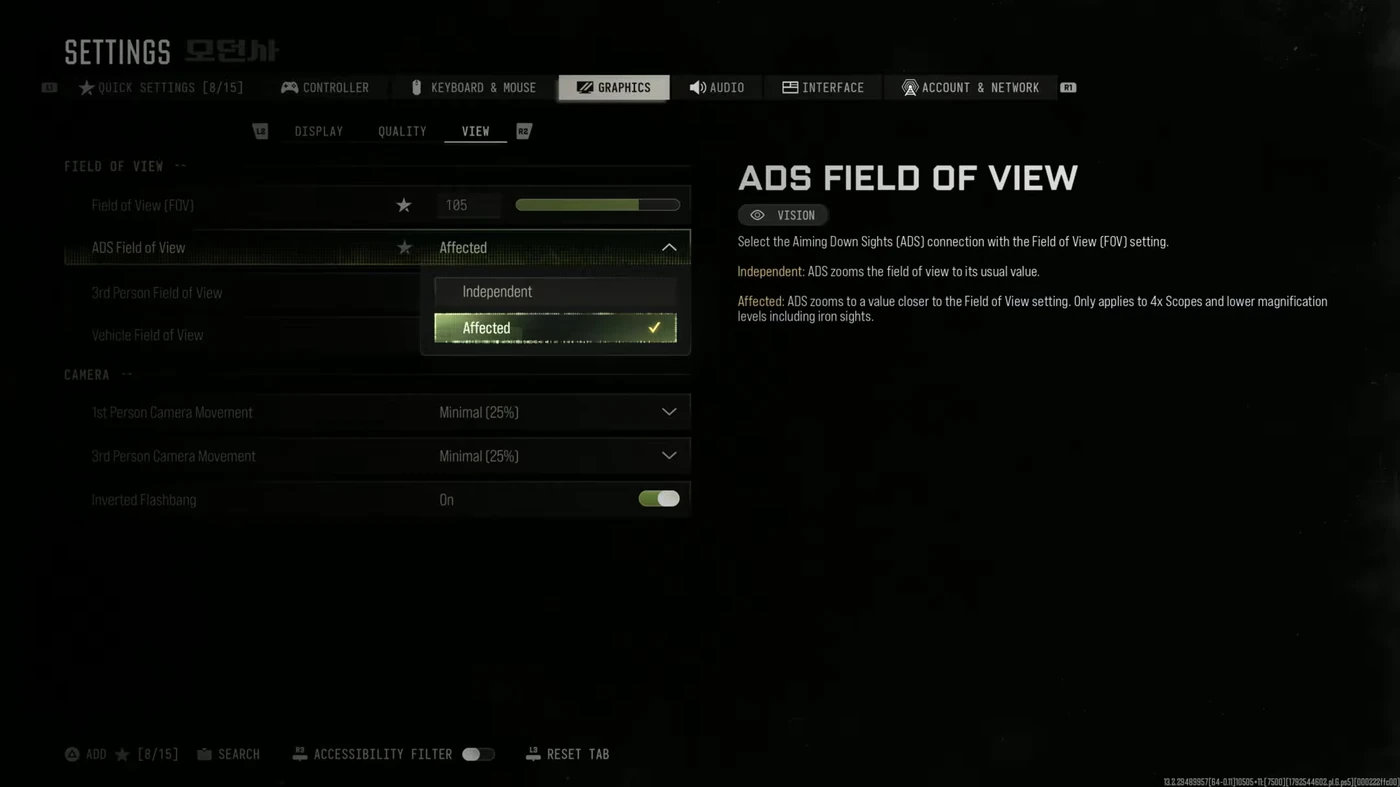
| ADS field of view | Affected |
| Enhanced FOV | Off |
| 1st and 3rd person camera movement | Minimal (25%) |
| 3rd person FOV | 90 |
ADS field of view set to Affected keeps your zoom closer to your normal field of view on optics up to 4x and on iron sights, which reduces visual recoil. Enhanced FOV costs around 30 fps on PC in launch-week tests, so leave it off.
Footsteps are very loud in MW4, which makes audio settings and the Ninja perk unusually important.
| Setting | Recommended |
|---|---|
| Master volume | 100 |
| Effects volume | 100 |
| Music volume | 0 to 30 |
| Dialogue volume | 80 (it carries killstreak callouts) |
| Audio mix | Headphones |
| Mono audio | Off |
| Reduce tinnitus sound | On |
| Mute licensed music | On if you stream |
On PC, Windows Loudness Equalization (Sound settings, your headset, Enhancements) makes footsteps louder and explosions quieter. On PS5, Audio Focus under Settings, Sound, Accessibility does a similar job when set to boost high-pitched sounds.
A few interface options make the screen easier to read: a square minimap with rotation on, Color Filter 2 at full intensity, a static crosshair, and the telemetry overlay for FPS, ping and packet loss. Turning off dismemberment and gore also saves a few frames on PC.
If you want to sharpen your aim and game sense beyond settings, our MW4 coaching pairs you with an experienced player.
Once your settings are dialed in, these guides help you make the most of them.
These are the questions players ask most about MW4 settings.
Start at 1.65 and adjust between 1.35 and 1.8. The scale is new in MW4, so old values from MW3 or Black Ops 7 don't carry over one to one.
No. MW4 only has Target Aim Assist, which should be on, and an ADS Aim Assist option that works in the campaign.
Set ADS Sensitivity Transition Timing to Instant and turn off sprint assist.
Activision's guidance says yes. Some players report 120Hz in multiplayer without it, but it isn't confirmed.
Not in multiplayer. It adds input lag, which matters more than the extra frames.
Use the Headphones mix, effects at 100, music low, Loudness Equalization on PC or Audio Focus on PS5, and run the Ninja perk.